Desktop app · Free & open source
Chamber
Secrets, sealed in git.
Chamber keeps your .env files, API keys, and certificates encrypted with
age inside a plain git repository. Drop a file, it is
sealed to every keeper's key and committed. One Sync button pushes and pulls. Any git host works.
What is Chamber?
A small desktop app, developed and maintained by Melodic Development, for people who would rather keep their secrets next to their code than in another SaaS. The repository holds only ciphertext. Your private key lives in the operating system's keystore. Git does the syncing, history, and sharing it already does well, and Chamber makes the encryption part just as boring.
How it works
Four steps, most of them once.
Make a key
On first launch Chamber creates an age identity and keeps it in Keychain, Credential Manager, or Secret Service. Save a passphrase-protected recovery kit and you are set.
Seal
Drop files or paste values. Each one is encrypted to every keeper's public key and committed. Edit a secret and a new version is sealed; the old one stays in history.
Sync
One button fetches, merges, and pushes to whatever remote you gave it. When two devices change the same secret, Chamber shows both and lets you pick.
Share
Add a teammate's public key as a keeper and everything is re-encrypted to include them. Remove one and Chamber rekeys, then tells you which secrets to rotate.
Features
Any git host
GitHub, GitLab, Bitbucket, Azure DevOps, a bare repo on a server you own. Chamber talks to git over SSH, your existing credential helpers, Git Credential Manager, or a pasted token.
Keepers
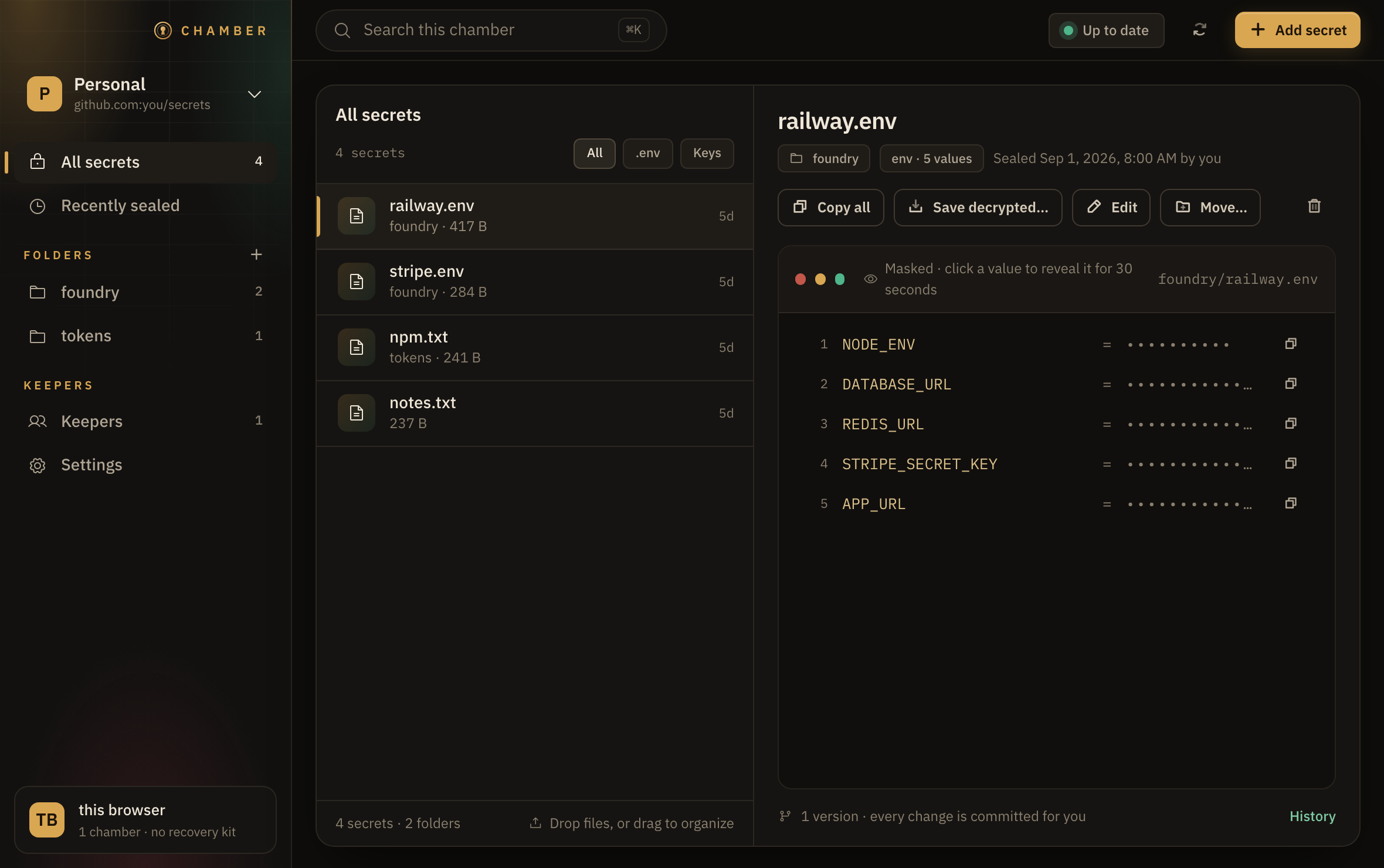
Each chamber has a list of people and devices allowed to open it. Only keepers can read anything. Pair a second device by scanning a QR code.
Masked viewer
Secrets open in a code window with the keys visible and the values hidden. Reveal one value for 30 seconds, or copy it and the clipboard clears itself 30 seconds later.
Folders and drag
Organize by project or environment. Drag secrets between folders, drag folders into each other, and put them in whatever order you like.
History that is just git
Every sealed version is a commit. Open any previous version, see who sealed it and when, and never wonder what a value used to be.
Keys stay in the keystore
Your private key never touches disk unencrypted. Chamber stores it through the OS keystore and reads it only when you open a secret.
What is in the repository
Everything Chamber commits is safe to push to a host you do not fully trust. This is the whole layout of a chamber.
vault/foundry/railway.env.age    # ciphertext, one file per secret
.chamber/recipients             # one public key + label per keeper
.chamber/index.json             # sha256 and size of the ciphertext, sealed_at, sealed_by
README.md  .gitignore
Chamber will
- Encrypt each secret with age to every keeper's public key before it is written anywhere
- Commit only
vault/and.chamber/, never a working tree - Detect changes by comparing decrypted content, so a re-save of the same value is not a new version
- Keep your private key in the OS keystore and any pasted tokens beside it
Chamber will not
- Write a private key, plaintext secret, or token to disk unencrypted
- Store hashes of plaintext, so nothing in the repo can be checked against a guess
- Talk to any server other than the git remote you configured
- Ask for an account, send telemetry, or phone home for updates